AI School Photo Generator
Missed picture day, or don't want to pay for the package? Upload a phone photo and get a classic school portrait — the face, smile and outfit stay exactly the same.
- ✓ 1 phone photo in
- ✓ 2K portrait out
- ✓ 4 backdrops
- ✓ No watermark
- ✓ No prompt to write
Style
Photos are only used to create your image and are not shown publicly.
Also called: ChatGPT school pictures · AI picture day photo · AI school portrait · school picture AI generator
Examples
Examples use AI-made people, not real children.
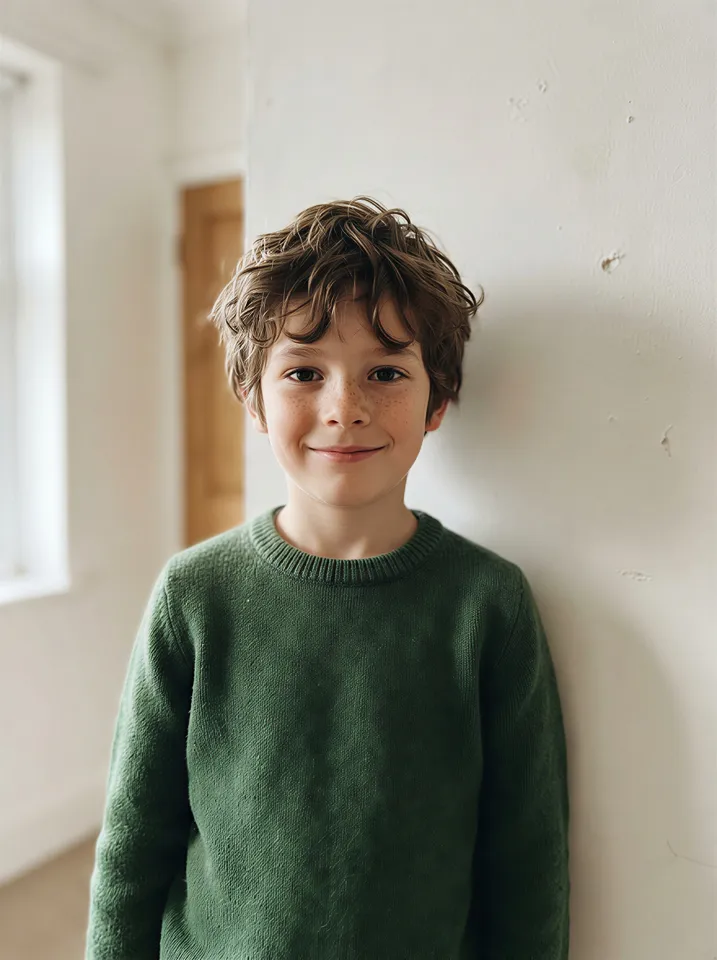
Your photo
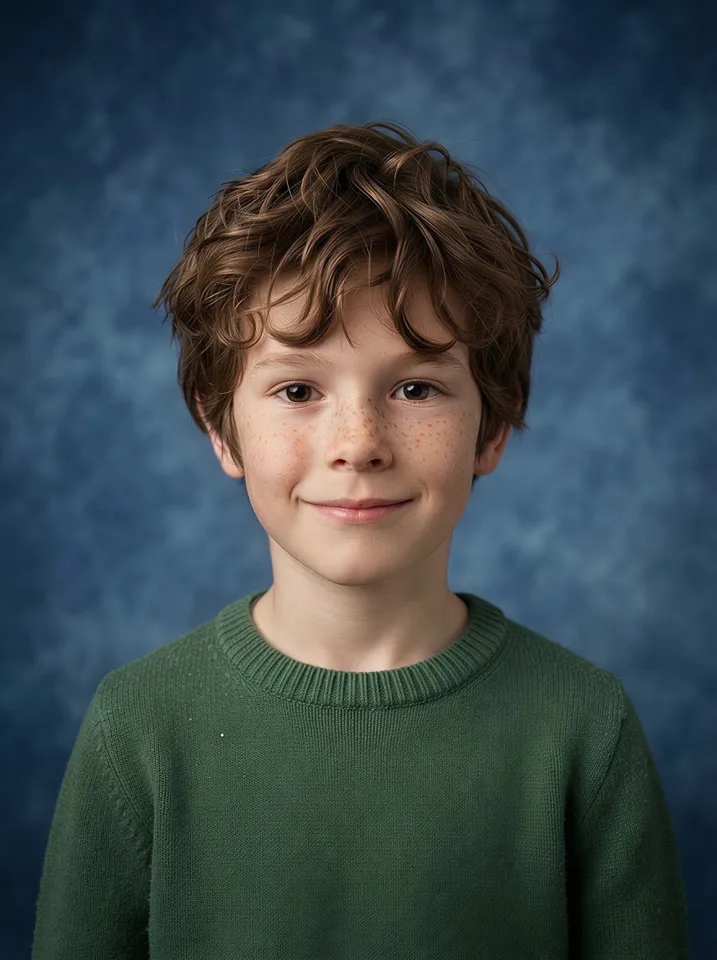
Result · Classic blue
Your photo
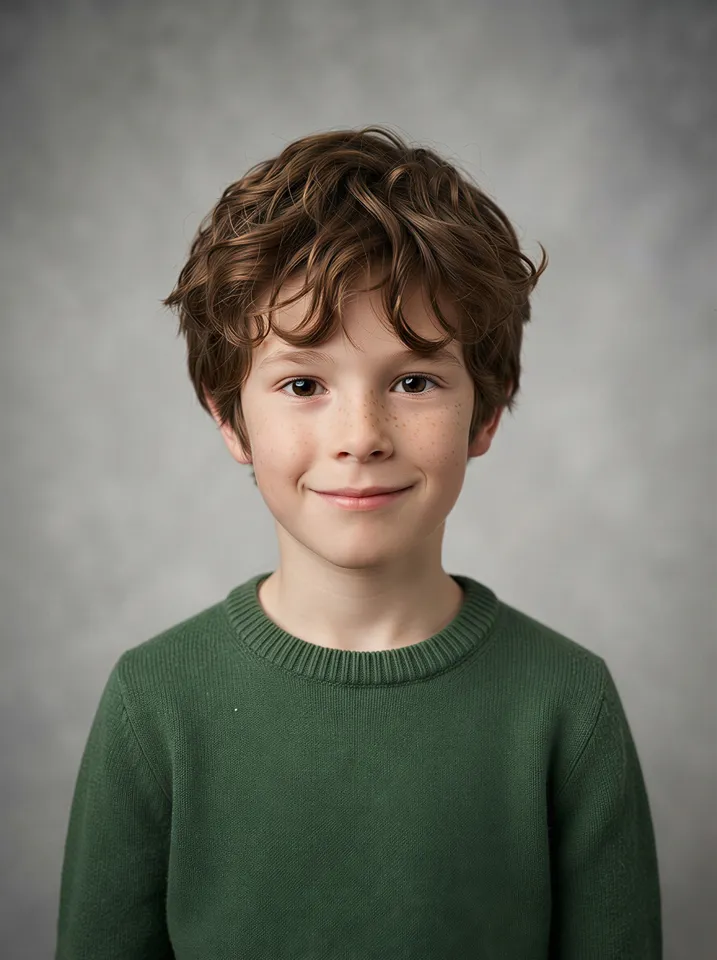
Result · Studio gray
Your photo

Result · 90s laser
Your photo
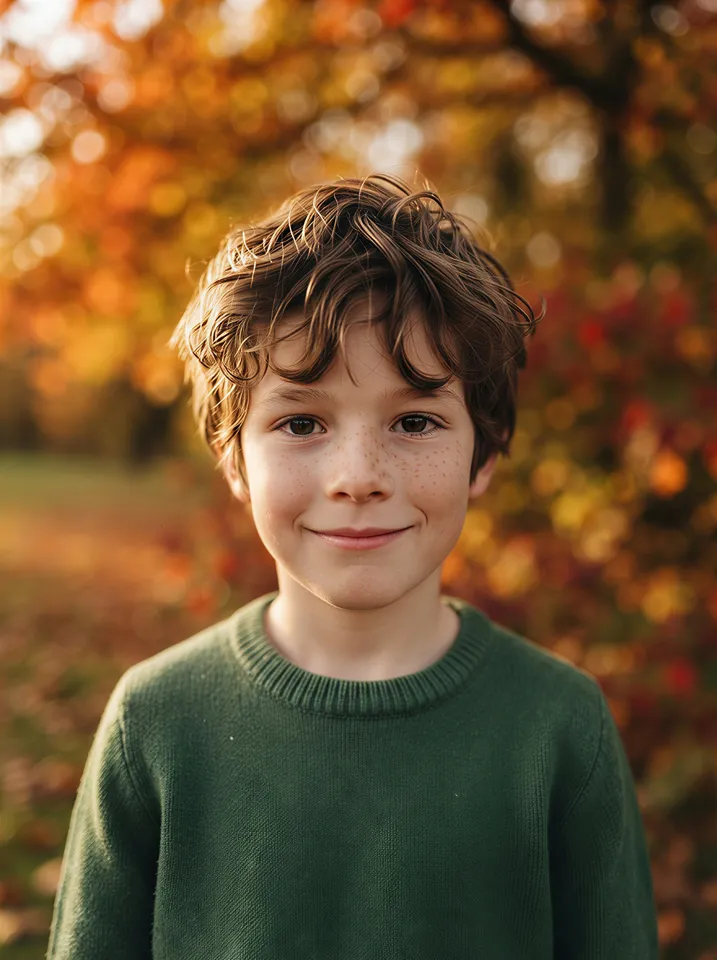
Result · Fall outdoor
How it works
- 1Take a photo at home: chest up, facing the camera, in front of a plain wall, in daylight.
- 2Pick a backdrop, upload the photo and click Generate. The AI only changes the backdrop, light and framing.
- 3Download your school photo and print or share it.
Which photo works best?
- Shoot chest up with the camera at eye level, about an arm's length away. From above, heads look bigger and chins smaller.
- Have them face the camera. The AI centers the portrait, so a side-on photo may come back turned toward the camera.
- Stand them a step in front of a plain wall near a window. Even daylight gives the cleanest hair edges.
- Dress them for picture day before you shoot — the outfit stays exactly as it is in your photo.
- Turn off beauty mode and filters. What you shoot is what you get: the AI does not smooth skin or change the smile.
- One person per photo. Glasses are fine; hats and sunglasses usually look odd in a school portrait.
- Use your own phone photo, never a photographer's proof — see the FAQ below.
Where the trend came from
The trend took off in September 2026, at the start of the school year. A mom on TikTok shared school pictures she had made at home: she photographed her kids in front of a plain wall, then asked ChatGPT to keep them exactly the same but make them look like school pictures.
Fast Company, Yahoo, Vice and Dexerto picked it up as parents' way to skip school photo packages, which usually cost around $25–60 per child.
Some parents went a step further and used AI to strip the watermark off a photographer's proof. That is a different thing: legal commentators point out it can infringe the photographer's copyright, with statutory damages of up to $150,000 per image. This tool is meant for photos you took yourself.
Simple, pay-as-you-go pricing
$9.99
30 credits
≈ $0.33 per image
$19.99
100 credits
≈ $0.20 per image
$49.99
300 credits
≈ $0.17 per image
FAQ
Will it change my child's face?
No. Every backdrop keeps the face, expression, hair and clothes from your photo and only replaces the background, lighting and framing. If the original is taken side-on, the portrait may come back facing the camera.
What photo works best?
A sharp, well-lit photo from the chest up, looking at the camera, in front of a plain wall. Turn off beauty filters — what you shoot is what you get.
Can I use it on a school photographer's proof to remove the watermark?
No. Proofs belong to the photographer, and removing a watermark can infringe their copyright. Upload a photo you took yourself — the AI keeps any watermark that is already in the photo.
Can I upload a photo of someone else's child?
Only upload photos of your own child, or of a child whose parent or guardian has asked you to. Photos are used only to create your image and are not published.
Which backdrops are available?
Classic blue, studio gray, the 90s laser backdrop and a fall outdoor look. Each one costs 1 credit.
How much does it cost?
Each school photo uses 1 credit. Credit packs never expire, and a failed generation gives the credit back.